Upselling
Your menu sells on its own.
Before confirming or paying, every customer sees relevant add-ons. On Delivery, Pickup, QR table and Self-service.
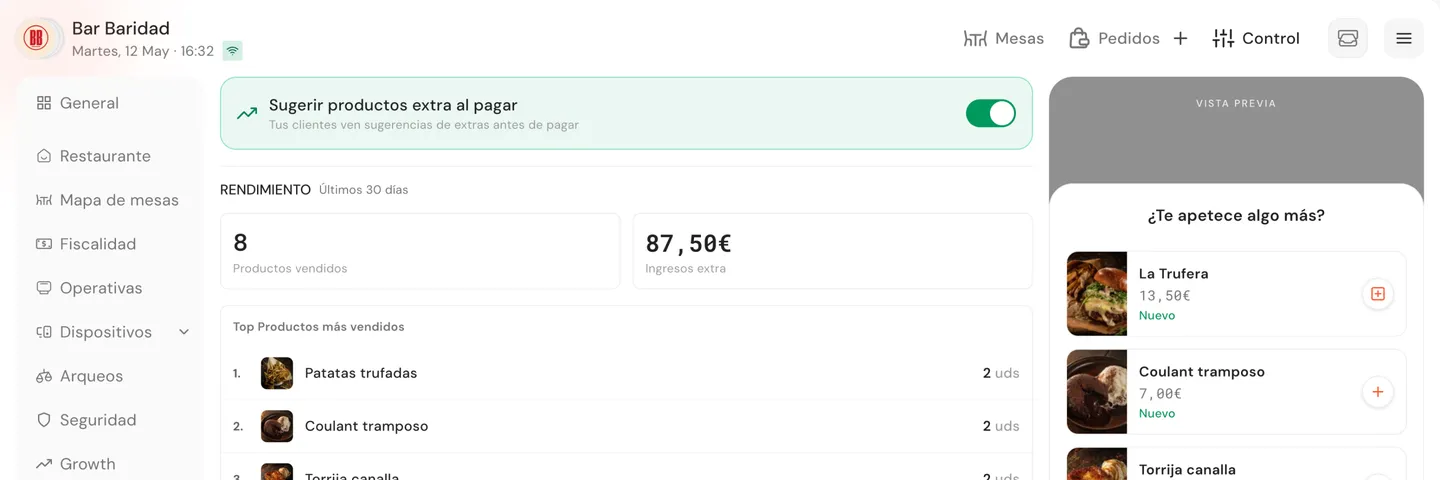
Higher average ticket without changing how you operate.
The suggestion shows up on its own. The customer adds in one tap. The extra gets tracked.
No need to rely on the waiter
The upsell shows up on every digital order. It doesn't depend on someone remembering to offer it.
Across every digital channel
Delivery, Pickup, QR table and Self-service. One layer that covers every purchase moment.
Always with your own products
Uses your current menu, respects availability and filters out what's already in the cart. No rules to configure.
How much could your average ticket grow with Upselling?
No long-term contracts.
From a closed order to a ticket that pulls its weight.
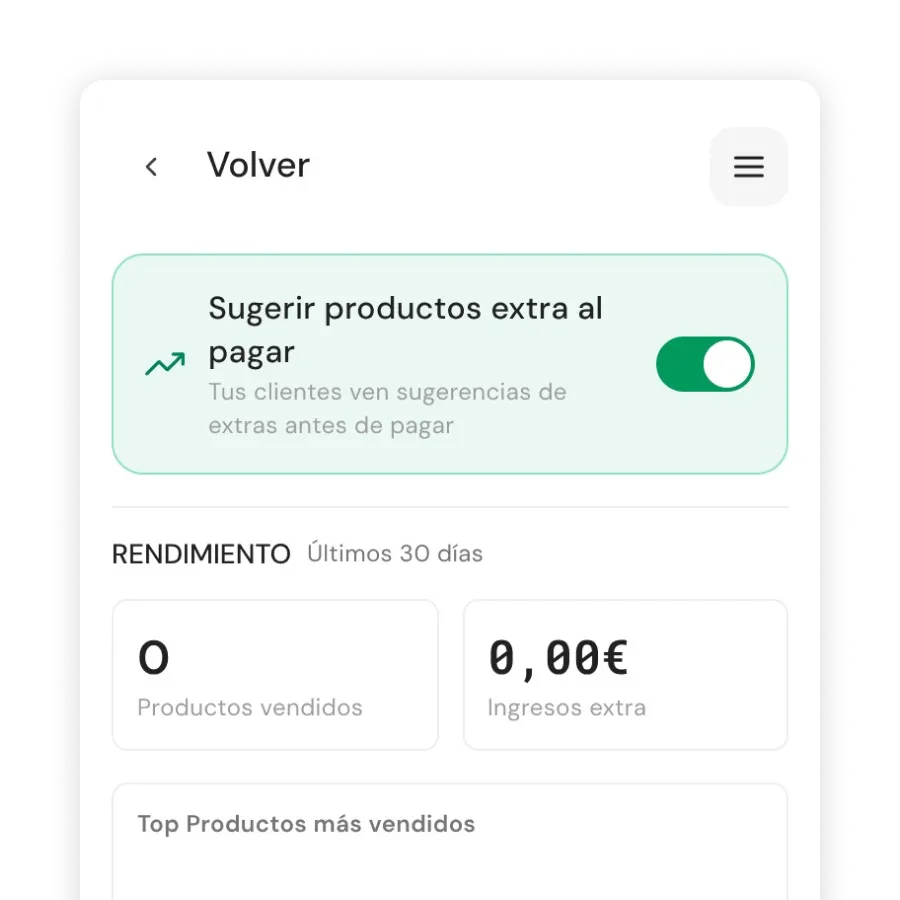
Turn it on with one switch
From QPOS → Growth → Upselling, live in seconds. The engine recalculates candidates every 6 hours using your current menu.
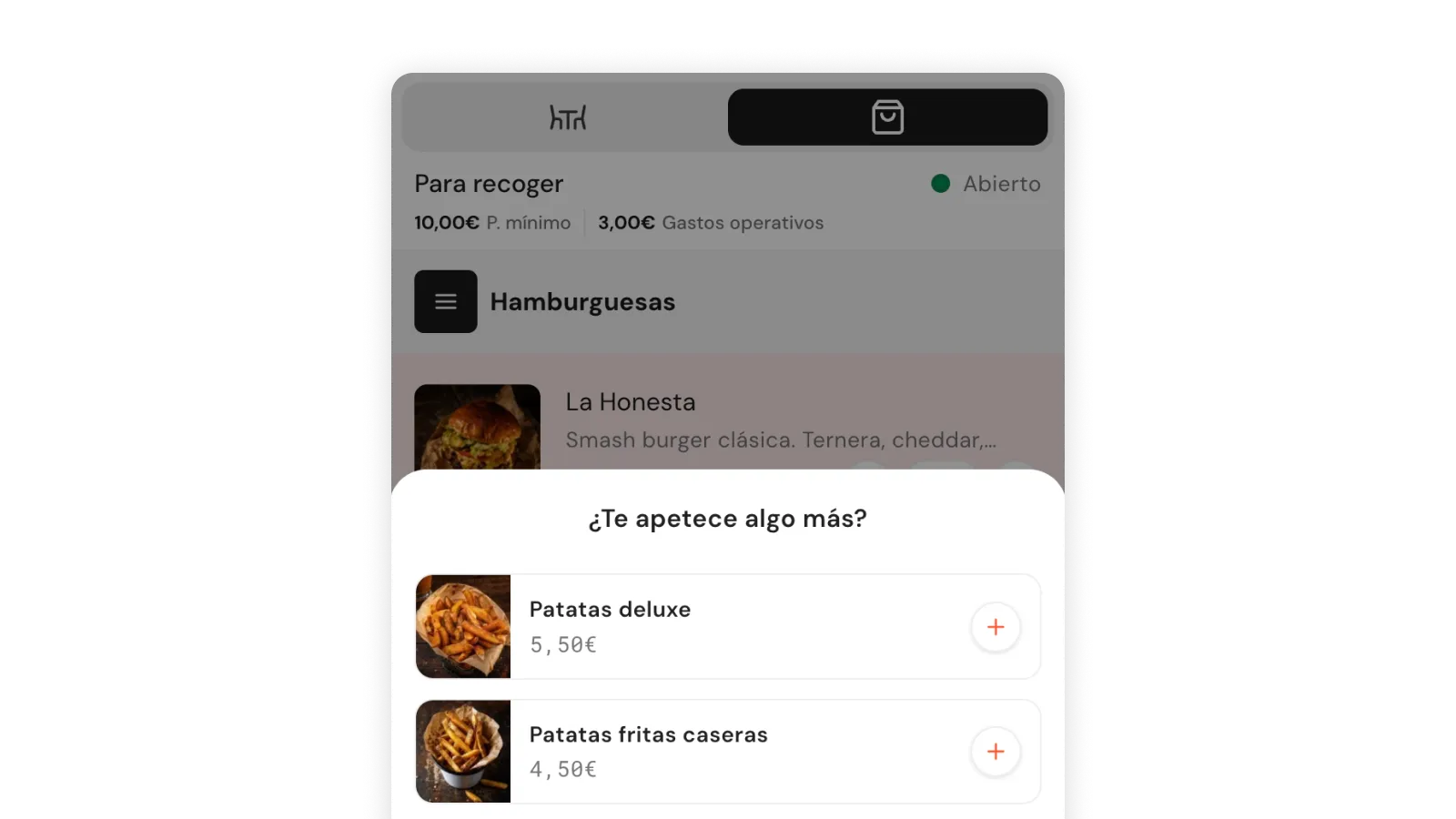
On Delivery and Pickup
At checkout, customers see between 2 and 6 relevant add-ons. One tap and into the cart.
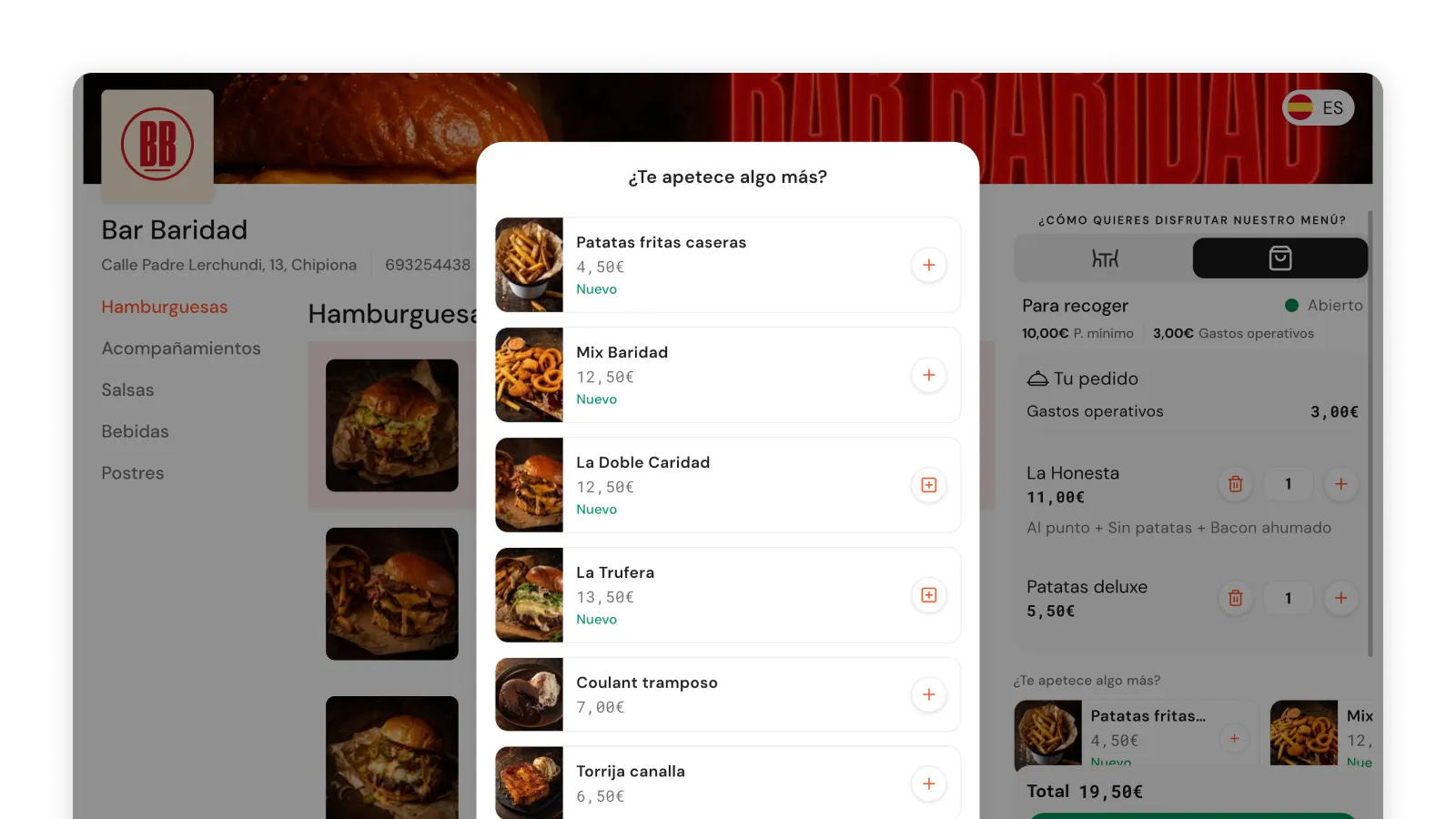
On QR table and Self-service
When confirming from mobile, the modal appears before the summary. Same engine, same experience.
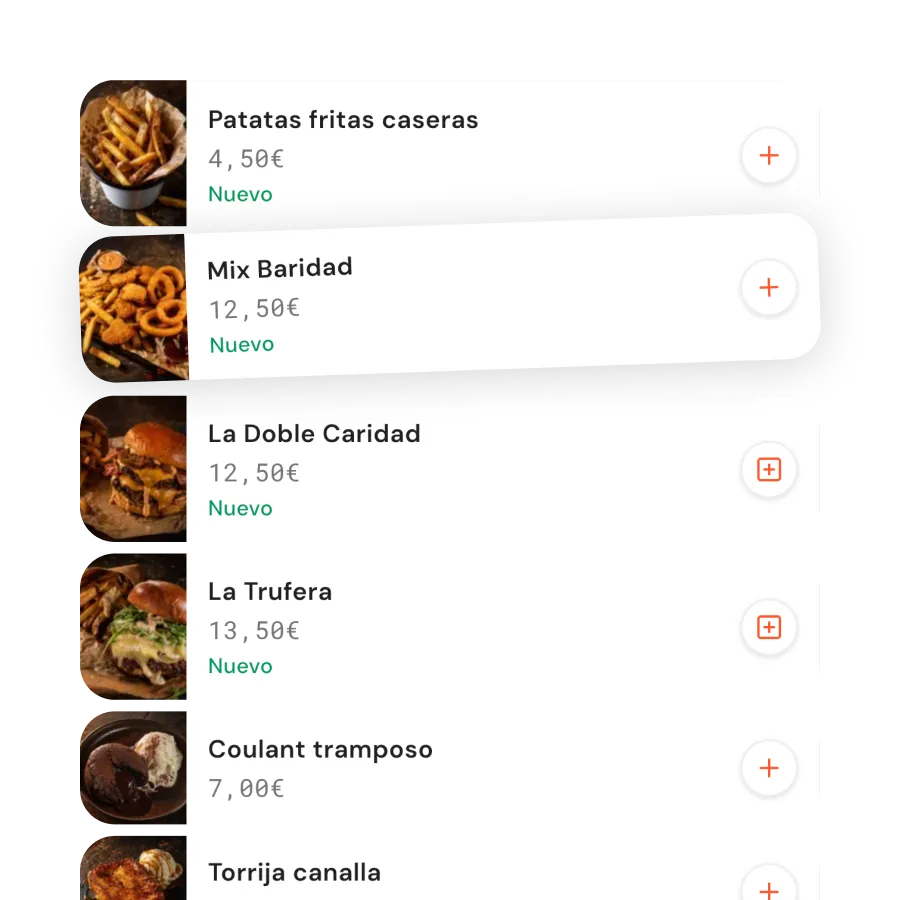
Prioritize what works
Combines popularity, value, recency and fit with the cart. Respects stock and excludes items priced by weight.
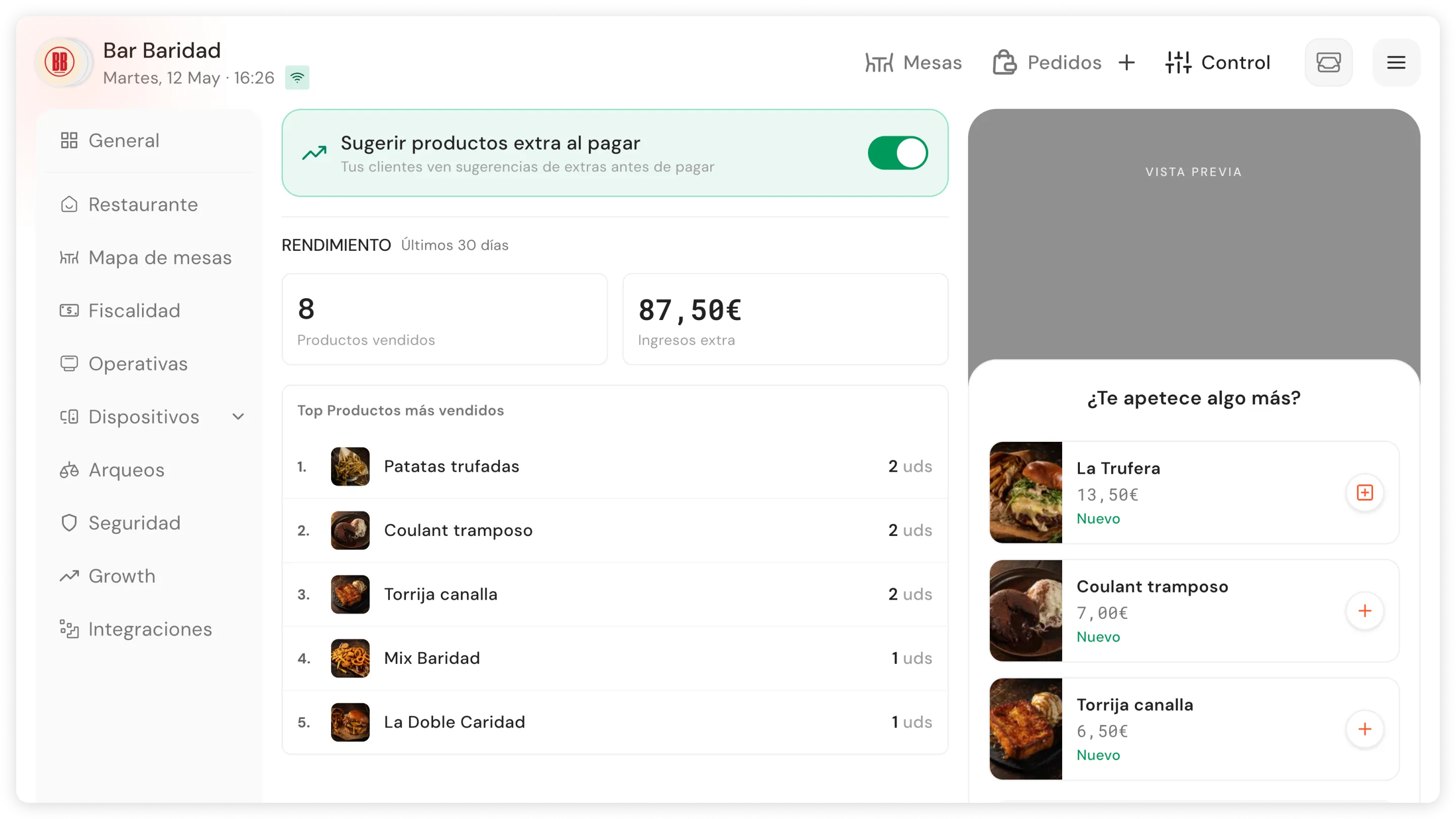
Measure real impact
Impressions, conversion, extra revenue and top products over the last 30 days. No spreadsheets needed.
Without Upselling, every digital order closes without the extra the customer would have added.
Available on Growth (€169/month) and Total (€249/month). No long-term contracts.
Frequently asked questions
What is Upselling?
It's the Qamarero layer that suggests relevant add-ons right before confirming or paying to raise the average ticket on every digital order.
Where does the customer see it?
On Delivery and Pickup it appears at the end of the order (strip on desktop, modal on mobile). On Order at the table and Self-service it appears as a modal before opening the summary or confirming the order.
Does it also work on QR table and self-service?
Yes. It's already integrated in the Order at the table and Self-service flows, not only in Delivery and Pickup.
How is it turned on?
From QPOS → Growth → Upselling, with a simple switch. The engine starts computing candidates immediately. No rules to configure.
Do I have to choose the products one by one?
No. The engine selects candidates from the active menu automatically based on popularity, value, recency and complementarity with the customer's cart.
How does it decide what to show?
It combines popularity, value, recency and complementarity with the current cart. It excludes products already in the cart, items priced by weight and anything unavailable.
Does it respect stock and the menu?
Yes. It always filters by active menu, visibility and availability. If a product runs out or is disabled, it disappears from suggestions automatically.
Which channels doesn't it cover yet?
It doesn't appear in orders created directly by staff from the POS or the Waiter app. Today it lives in the customer-facing digital flows.
Want to see it with your real menu?
No long-term contracts.