Finance Management
Invoices, payslips and delivery notes. One place, organized on their own.
Upload any document and AI classifies it, links invoices with delivery notes and assigns each payslip to the employee by tax ID. Costs land on Finance automatically.
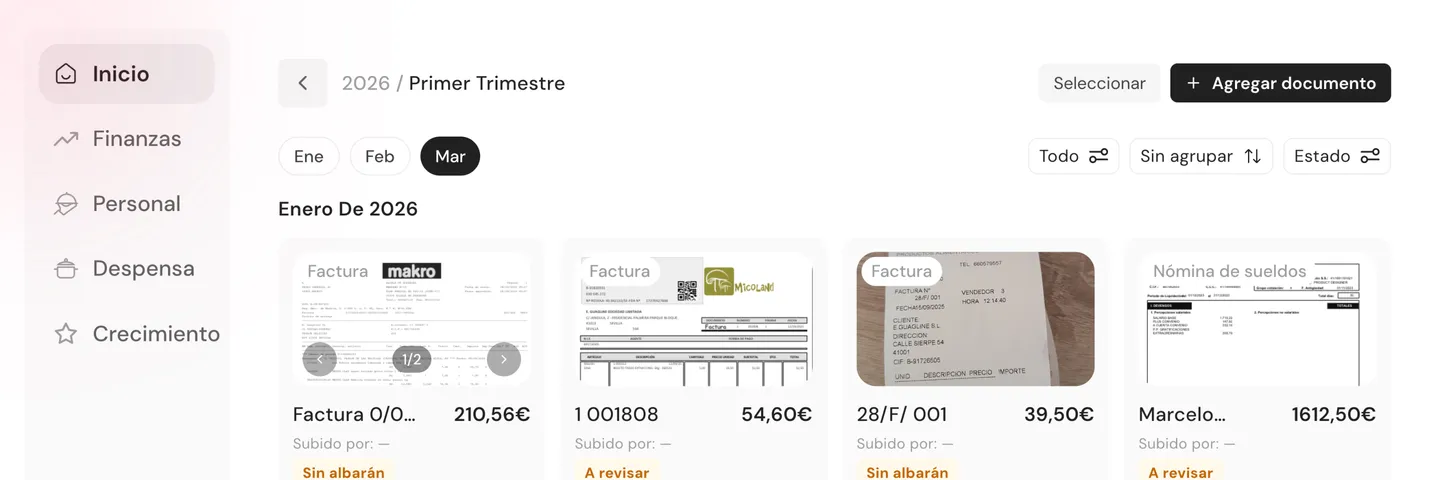
Your paperwork organized. No searching, no handing out, no manual math.
No paper folders, no WhatsApp for payslips, no plugging numbers into a spreadsheet.
AI classifies and links on its own
Upload an invoice, delivery note or payslip. AI classifies it, links the invoice with its delivery notes and assigns payslips to the employee by tax ID.
Every employee checks their payslips in the app
Upload once. Each employee sees them organized by year and downloads the PDF without asking. No more handing them out in person.
Costs land on Finance automatically
Every invoice and payslip feeds Finance with costs split across Raw Materials, Staff and Other. You know how much you spend without typing a number.
How much time do you spend each month searching for documents for your accountant?
No long-term contracts.
From the box of invoices to the finance dashboard, no manual steps.
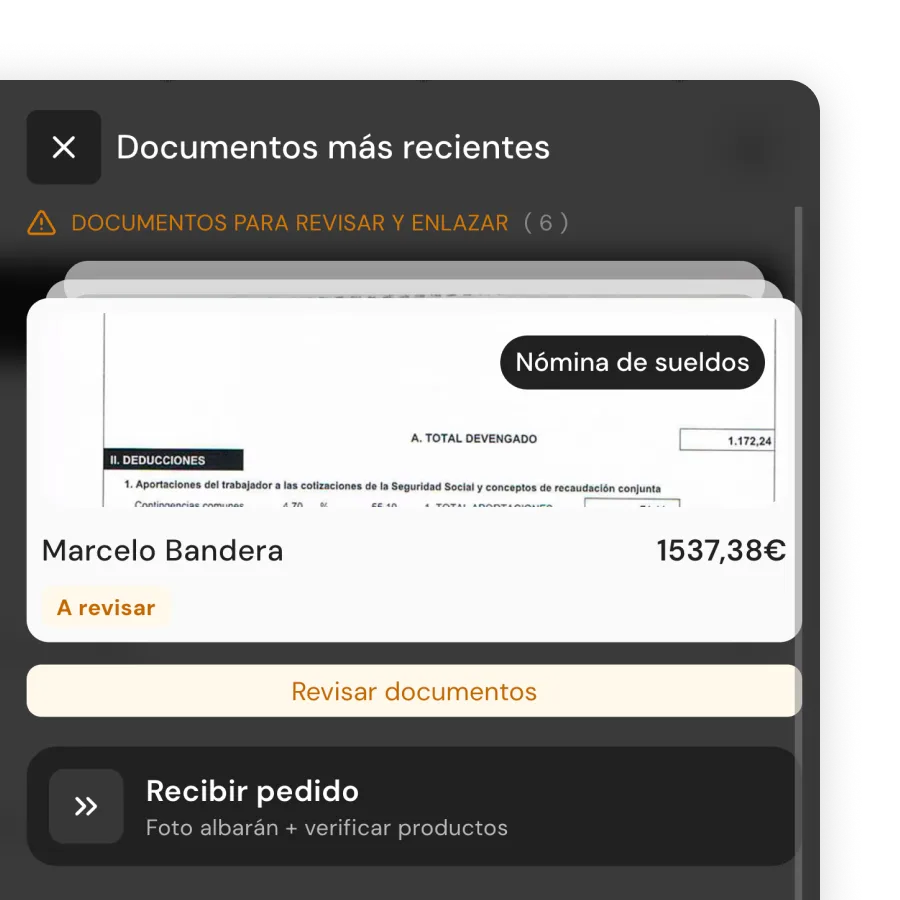
Upload and AI classification
Upload PDFs or photos from the floating button. AI identifies them as invoice, delivery note or payslip and organizes them by date and supplier.
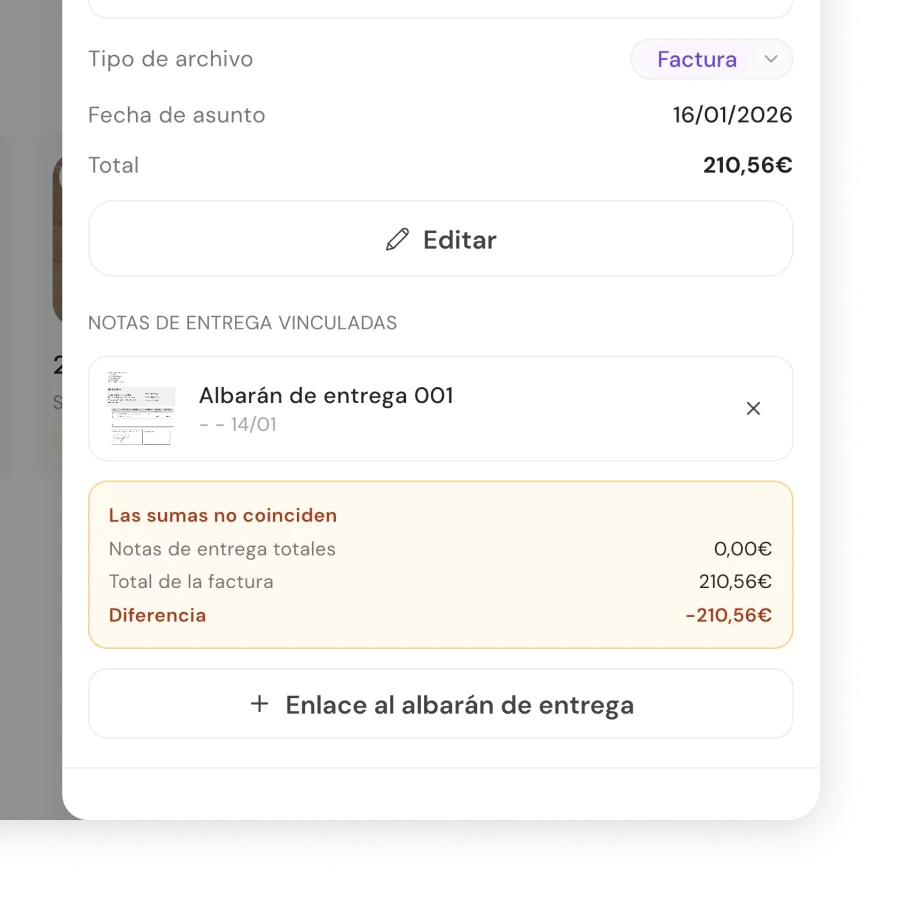
Reconcile invoices with delivery notes and spot mismatches
Each invoice is linked to its delivery notes. If there are mismatches between what was delivered and what was invoiced, you see them instantly.
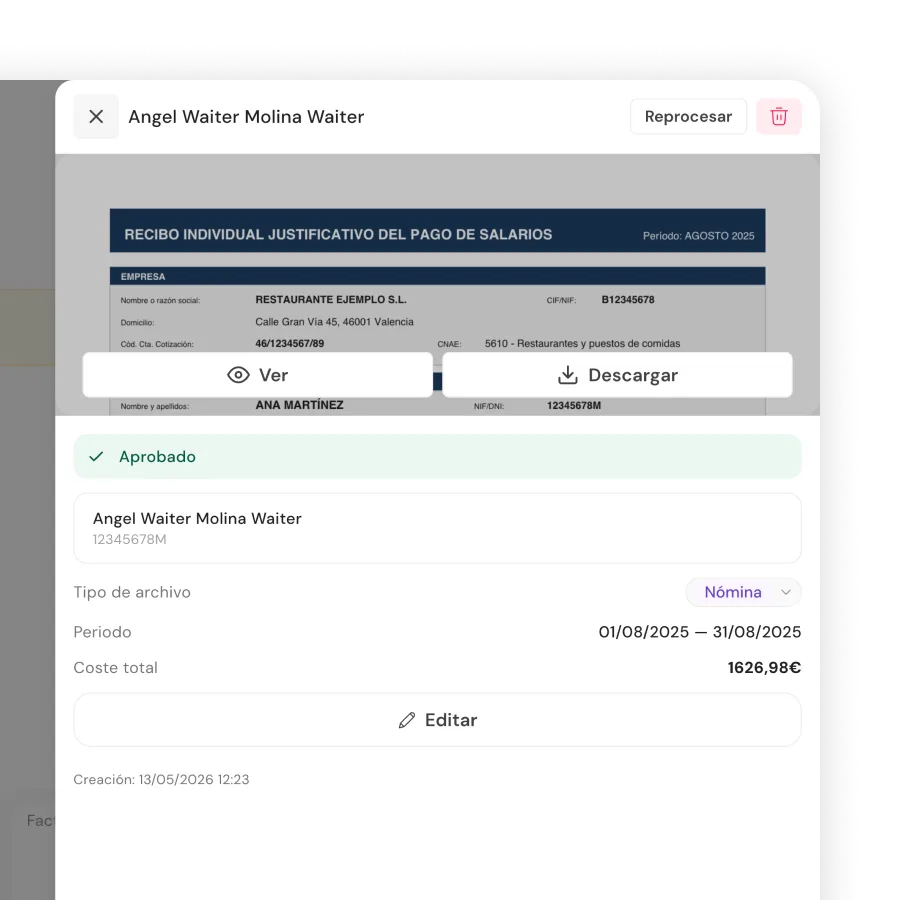
Payslips: from dashboard to the employee app
You upload the month's payslips. The system assigns them by tax ID. Each employee downloads them from their app, organized by year.
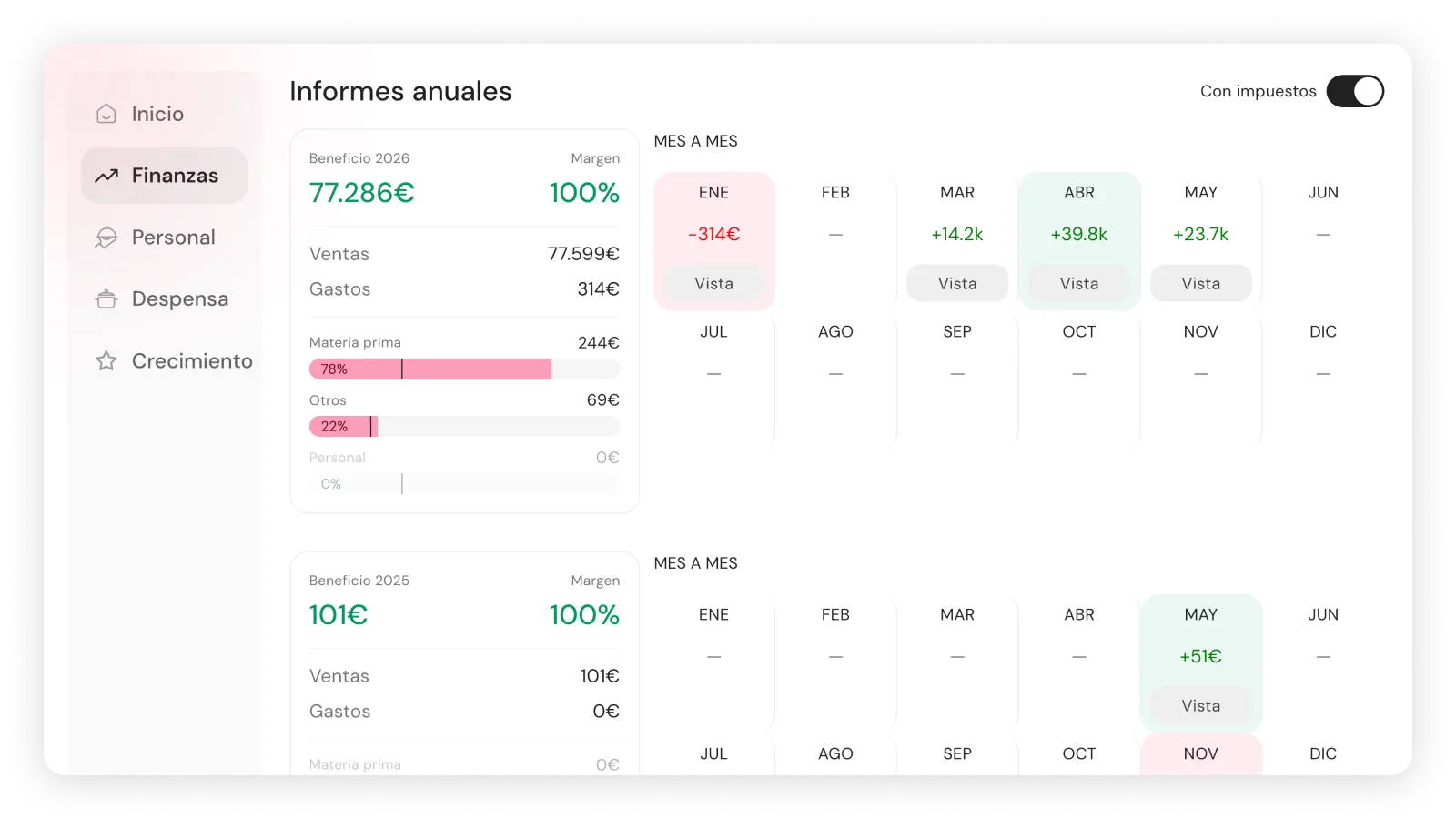
Finance: revenue and costs calculated automatically
Invoices and payslips feed Finance automatically. Costs split across Raw Materials, Staff and Other. Revenue from invoices. Restaurant margin at a glance.
Without Finance Management, invoices live in a box and payslips live on WhatsApp.
Available on Control (€169/month) and Total (€249/month). No long-term contracts.
Frequently asked questions
What documents can I upload?
Invoices, delivery notes and payslips as PDFs or photos. The system classifies them automatically by type. If you need to, you can change the classification manually after uploading.
How do I upload invoices or delivery notes? Does it tell them apart automatically?
Yes. From the floating 'Documents' button on the dashboard. Upload any file (photo, PDF) and the system identifies them automatically as invoice or delivery note, linking references between them automatically.
How do I upload my employees' payslips?
From the floating 'Documents' button on the dashboard. Upload each payslip PDF and the system identifies them as payslips and assigns them to the correct employee by tax ID.
Can my employees see their payslips?
Yes. Each employee only sees their own from their app, under Profile → Payslips. They can download the PDF for any month without asking.
Do payslips count toward labor cost?
Yes. The system reads the amount on each payslip and reflects it automatically in Finance as labor cost. No numbers entered by hand.
Is it worth it if I already have an accountant?
Your accountant generates the payslips. You upload them to Qamarero and you no longer have to hand them out one by one or search for paperwork when they ask for it. Each employee checks them on their own app.
Is it like payroll software?
No. Qamarero doesn't generate or calculate payslips: your accountant does that. Documents stores, organizes and shares the files with your employees.
Can I see documents from other locations?
Yes, you can see documents from every location you have access to from the same dashboard.
Can I export by period for my accountant?
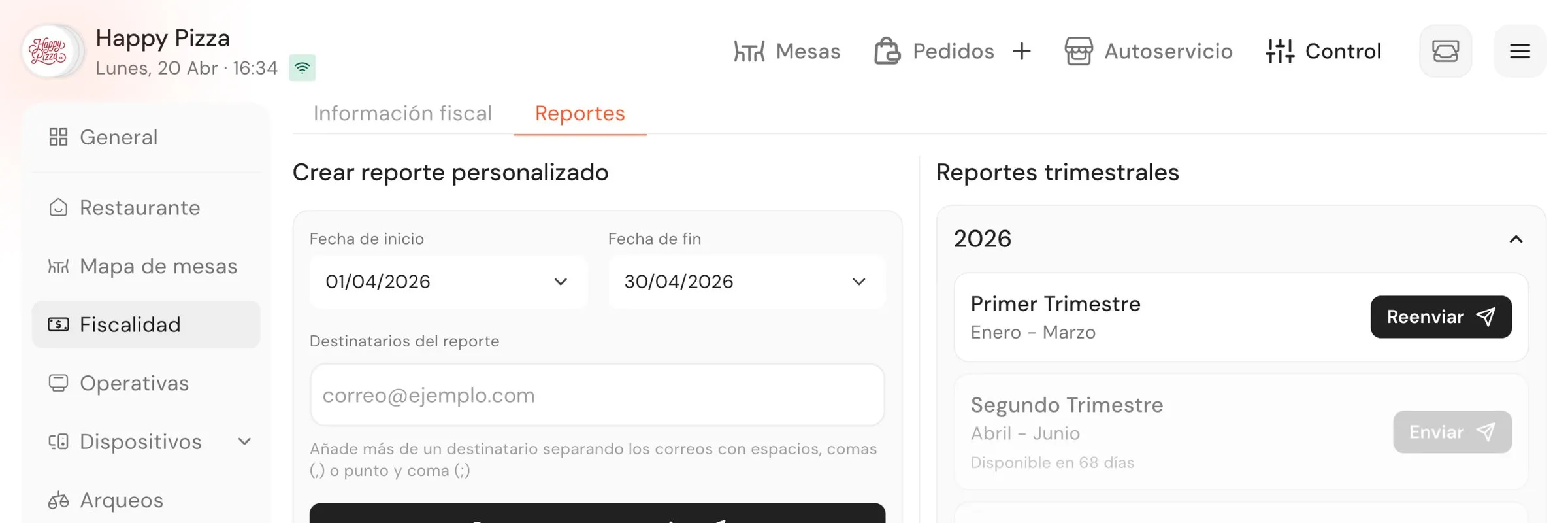
Yes. Select months or quarters within a year and download everything at once to send to your accountant. You can also pick individual files and download them separately.
When was the last time you found an invoice on the first try?
No long-term contracts.