Inventory
When it runs out, it disappears from every channel.
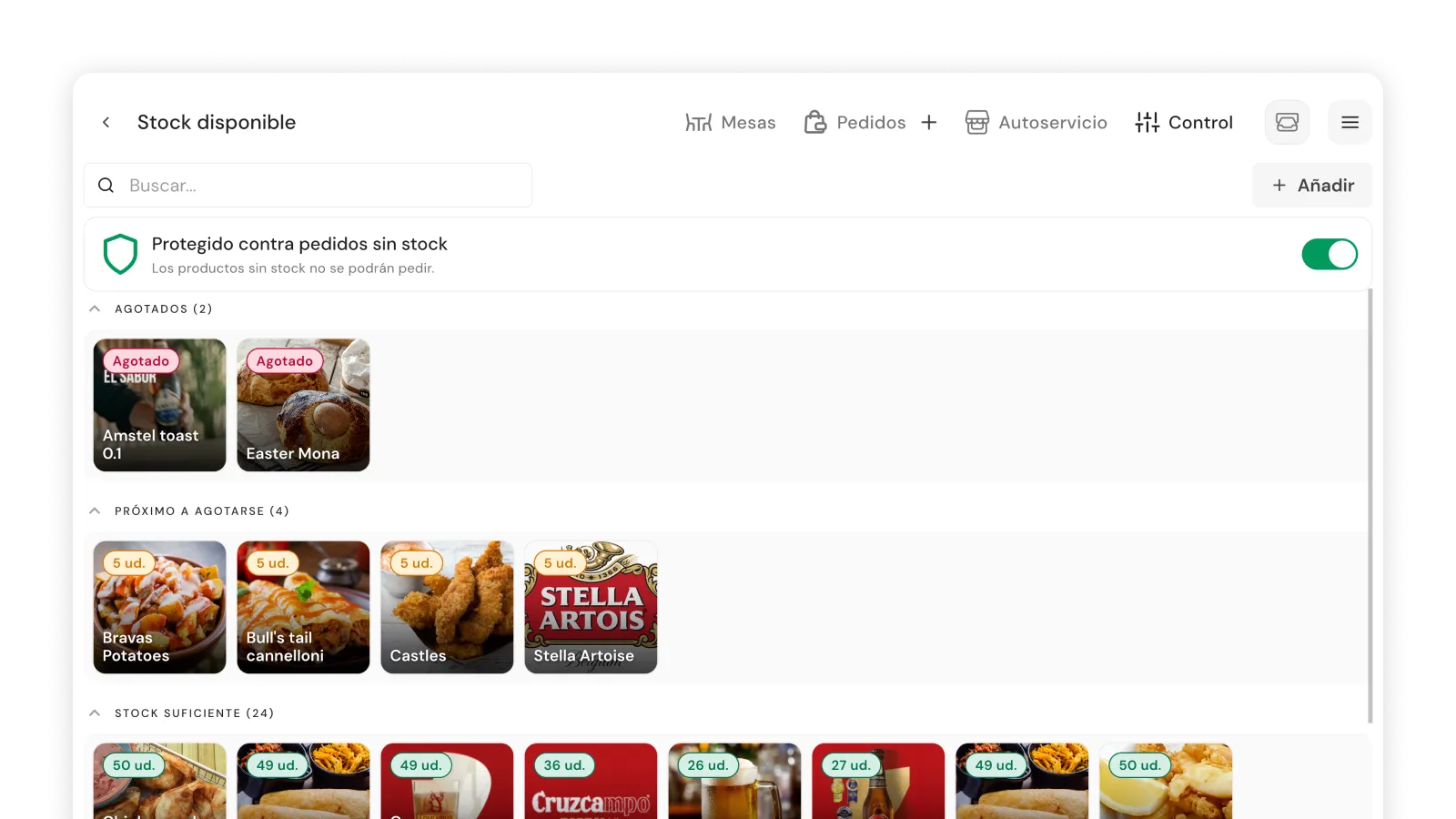
Set which products and ingredients can run out. Every order subtracts on its own, wherever it comes from. At zero, it's blocked on POS, waiter terminal, QR, delivery and pickup.
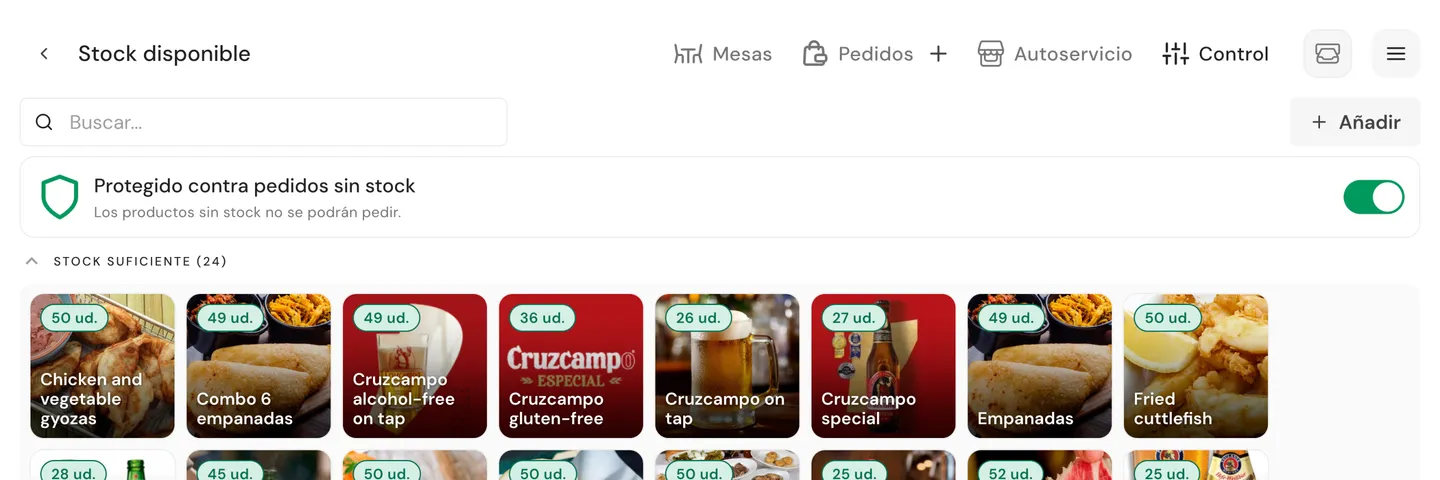
Menu control without manual work.
No shouting from the kitchen, no sticky notes, no waiter having to explain what's not available.
Blocked across every channel at once
At 0, it disappears from POS, waiter terminal, QR, delivery and pickup at the same time. The customer sees 'Sold out'. The waiter sees it disabled.
Every order subtracts on its own
Dine-in, QR or delivery: every order draws from the same stock in real time. You don't update anything during service.
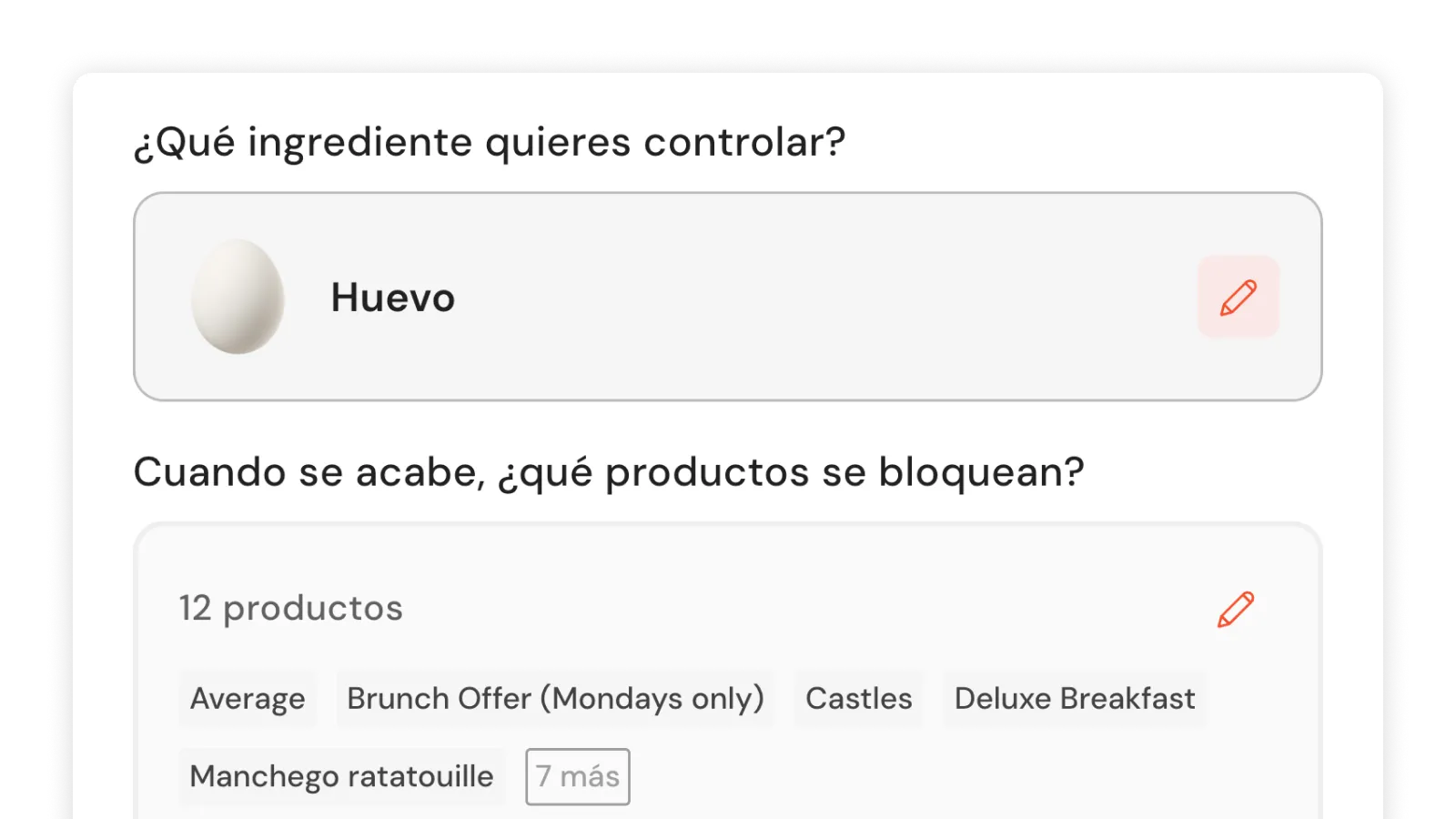
Track shared ingredients
Link one ingredient to every dish that uses it. If the pizza dough runs out, every pizza disappears at the same time.
How many times a day does your team say 'we're out of that'?
No long-term contracts.
The menu always lined up with what's in the kitchen.
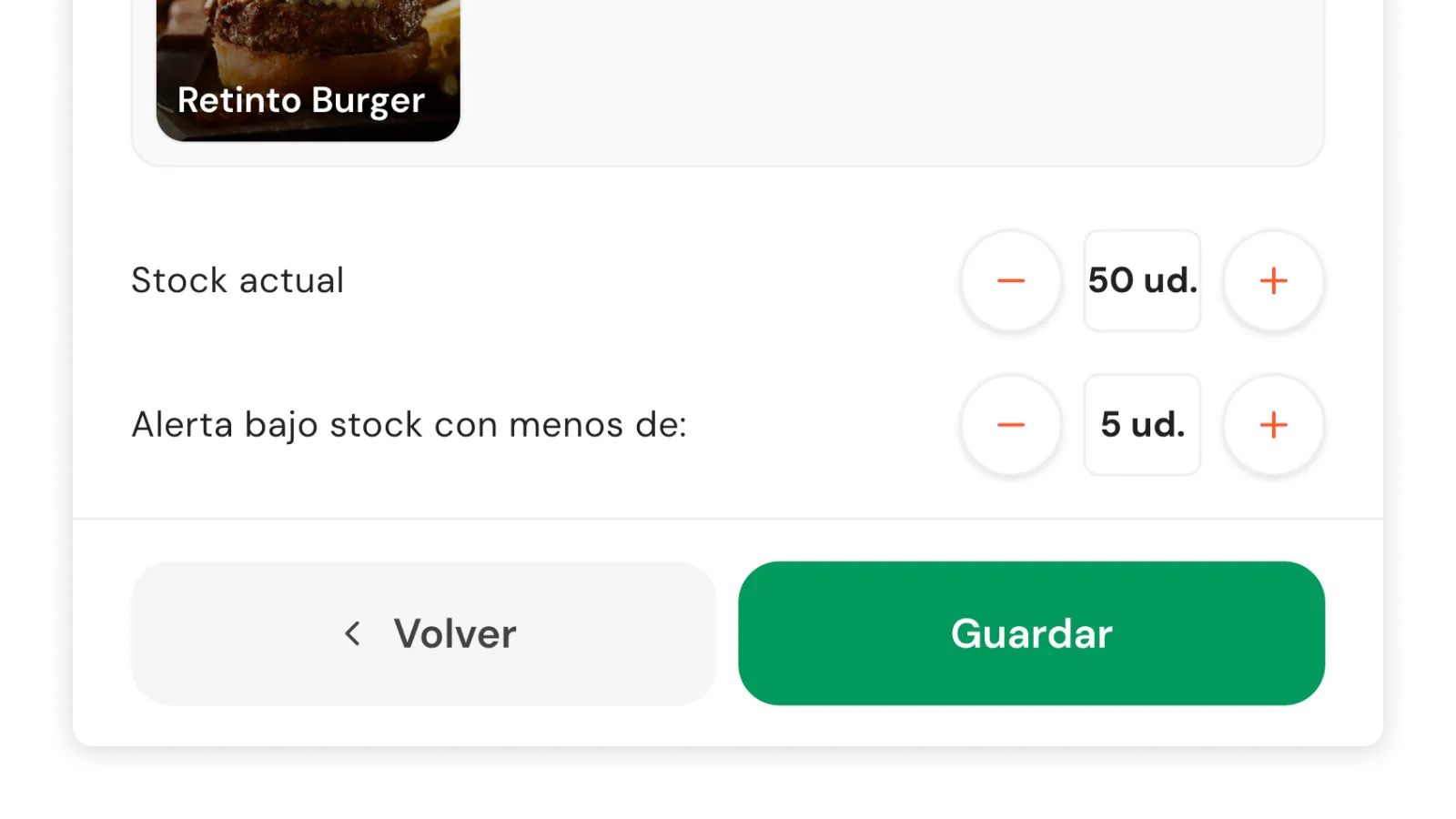
Configure stock items in minutes
Product or ingredient, current units and warning threshold. From then on, every order subtracts on its own.
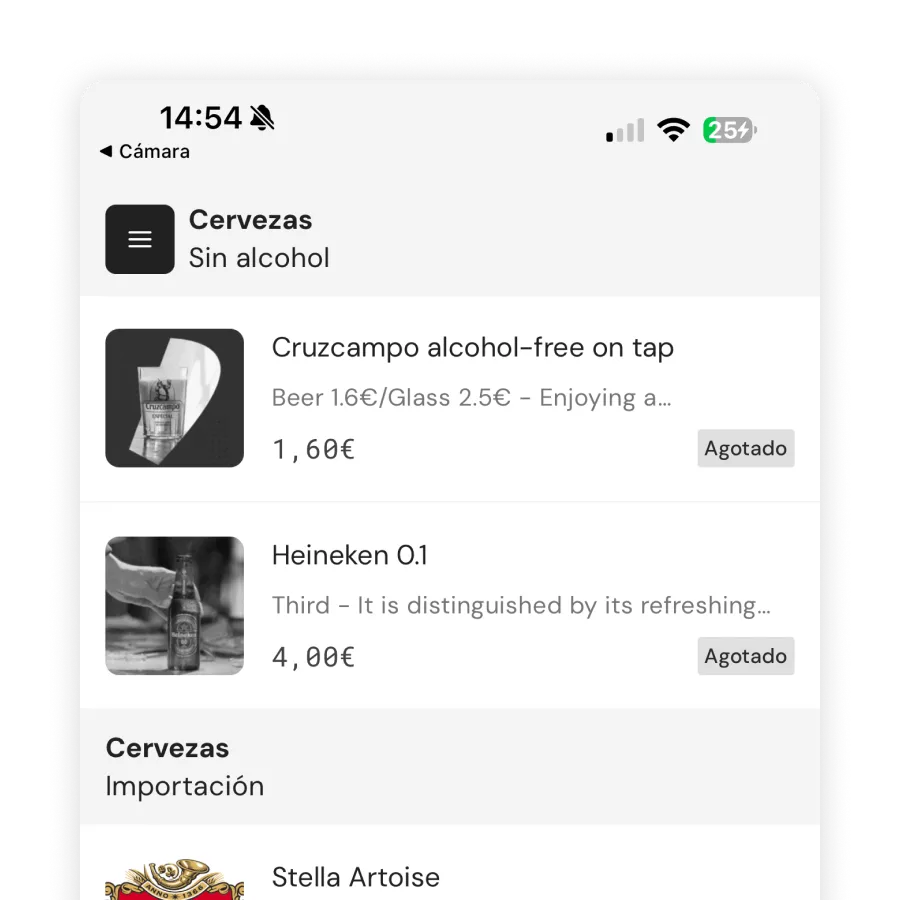
Automatic blocking across every channel
At 0, the product is blocked across every channel at once. The customer sees 'Sold out'. The waiter sees it disabled.
Running-low warnings to stay ahead
You set a threshold. When units drop below it, the team sees a distinct signal. Time to warn the kitchen before there's nothing left.
Shopping list at cash close
At close, you see which products ran out during service. That list is the next day's supplier order. No remembering, no asking the kitchen.
Without Inventory, you sell what isn't there and the waiter apologizes.
Available on Control (€169/month) and Total (€249/month). No long-term contracts.
Frequently asked questions
Do I have to add every product?
No. Only the ones that can run out. If a product never runs out (e.g. bottled water), you don't need to add it. The system works with the items you choose to control.
What happens when a product hits 0?
It's blocked across every channel: POS, waiter terminal, QR menu, delivery and pickup. The customer sees 'Sold out' and the waiter sees it disabled. Nobody can order it until you replenish stock.
Does it work if I have delivery and dine-in at the same time?
Yes. It doesn't matter where the order comes from: all of them subtract from the same stock. When it runs out, it's blocked across every channel simultaneously. No risk of selling the same item from two places.
Can I track ingredients, not just products?
Yes. You can create a stock item for an ingredient (e.g. 'Pizza dough') and link it to every dish that uses it. When the ingredient runs out, every affected dish is blocked.
Isn't eyeballing enough?
Eyeballing loses sales (you sell what isn't there) and trust (the waiter apologizes). Stock removes those moments without adding complexity to service.
What if I need a more complete inventory with purchases and suppliers?
Stock covers real-time operational availability. For advanced management (purchases, suppliers, batches, expirations, recipe costing) we're building the Warehouse Manager inside the Control plan.
How do I activate stock control?
From POS → Control → Stock. Available on Control (€169) and Total (€249) plans. Nothing extra to activate: as soon as you add your first item, the system starts subtracting.
Do customers see how many units are left?
No. They only see 'Last units' when stock is running low, or 'Sold out' when it hits 0. They never see the exact number of available units.
How many times today did your team have to explain what isn't there?
No long-term contracts.