Your team takes orders from their phone.
Any phone becomes an order pad. Take orders tableside, send to the kitchen in real time, charge from the app. No per-device licences.
The POS in the waiter's pocket.
The Waiter App is part of the same system as your POS: orders, courses, kitchen and checkout are all in one place. What the waiter takes tableside goes into the same register and reaches the same KDS.

No per-device licences
Add as many phones as your team needs. A busy Friday with extra staff doesn't change your bill.

The order is taken tableside
The waiter takes the order right next to the guest and sends it to the kitchen with a tap. No walking back to the bar, no paper getting lost.

No proprietary handhelds
Works on any phone from the browser. On the Advanced tier, also as a native iOS/Android app with offline mode.
Want to see it with your actual menu?
15 minutes, no strings attached.
From the table to checkout, without walking back to the bar.
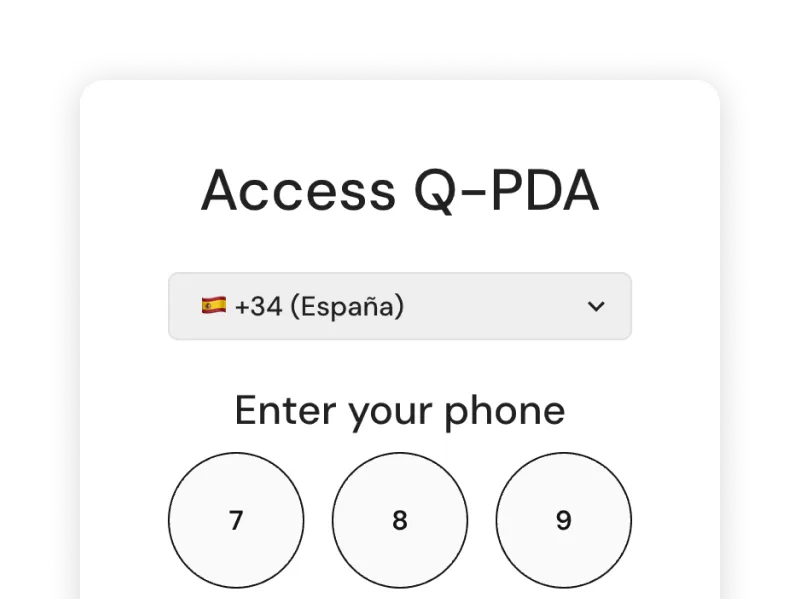
Login with phone number and PIN
Each waiter has their own user with a personal phone number and PIN. Orders are linked to whoever took them.
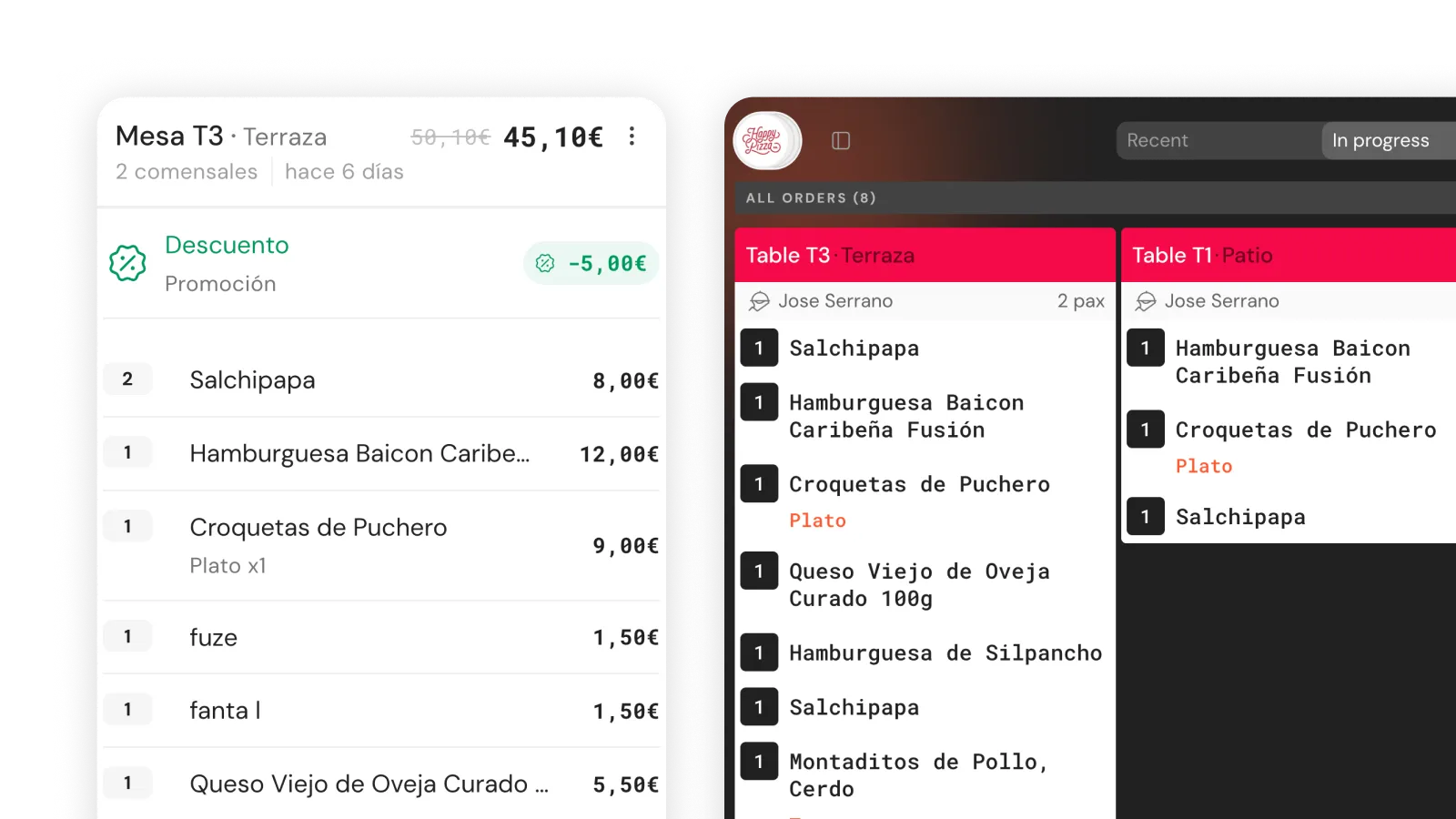
Order sent to kitchen instantly
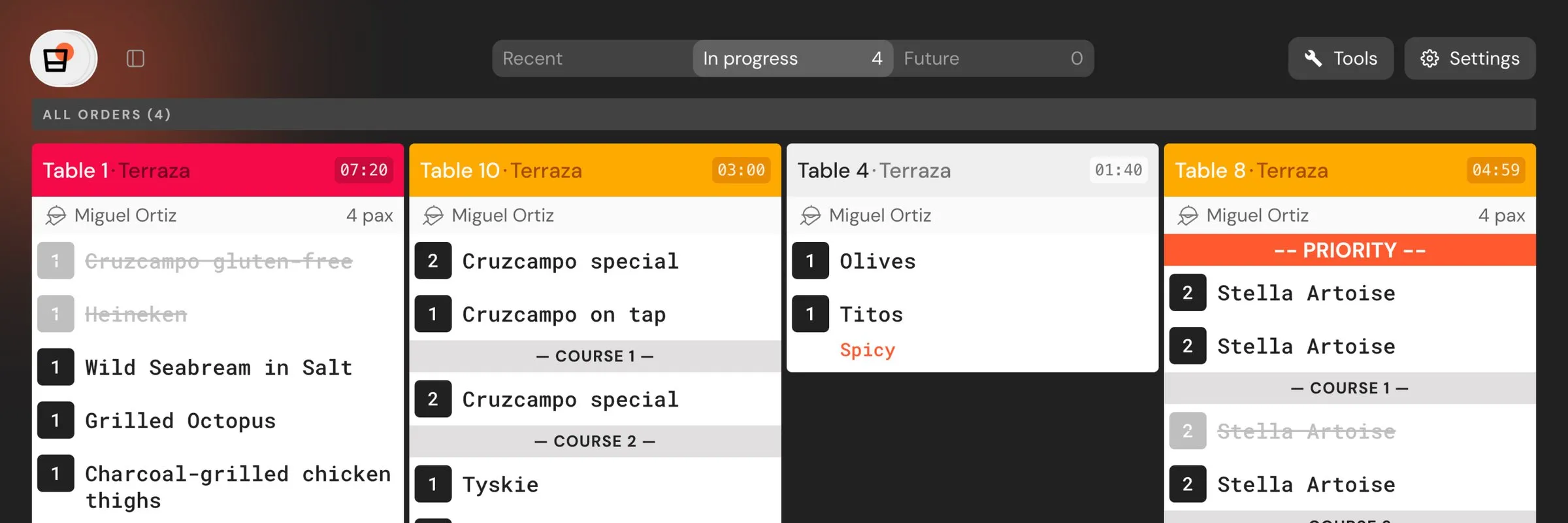
The order leaves the phone and reaches the KDS in real time. If the guest adds something, you add items and the kitchen only receives the new ones.
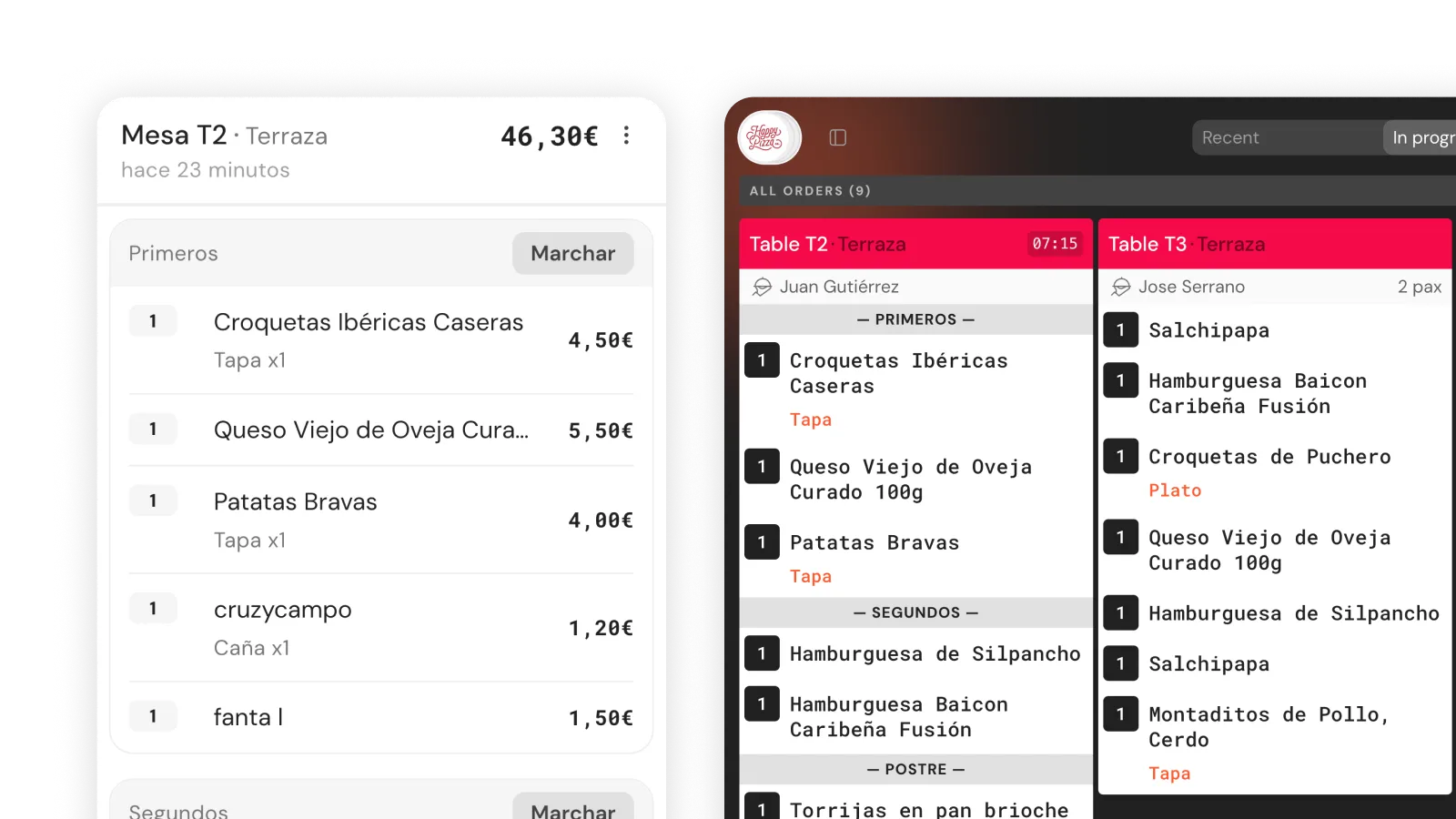
Courses (starters, mains, desserts)
Assign each item to the right course. The kitchen receives the order structured by timing, not everything at once.
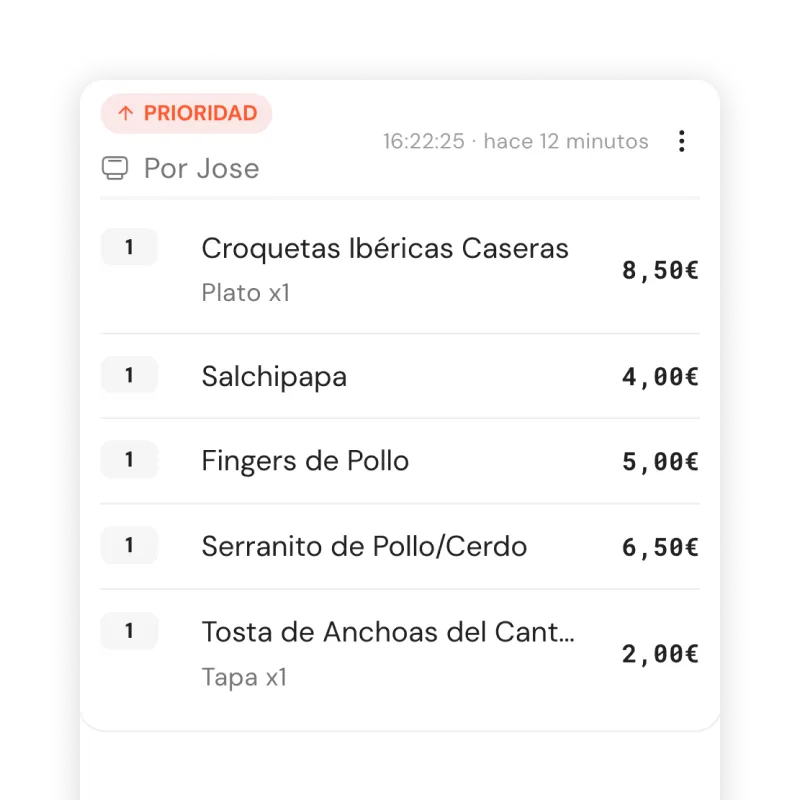
Prioritise an urgent order
From the order menu, tap 'Prioritise' and it jumps to the front of the queue on the KDS. Useful when a table has been waiting.
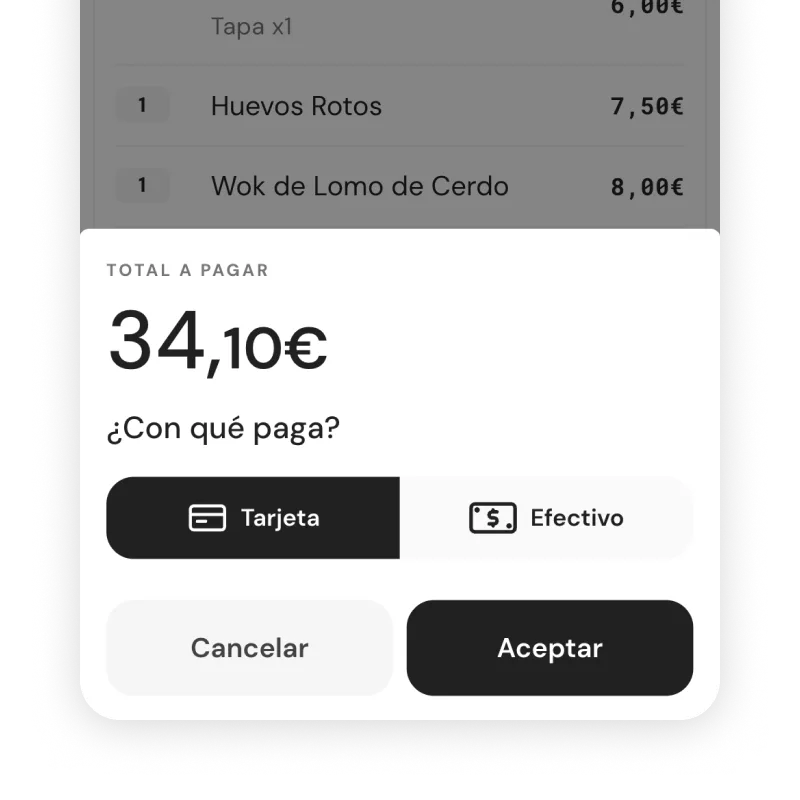
Charge from the app
Cash, card or mixed payments from the phone. Split by diner with a tap. Invoice generated on the same screen and sent by email.
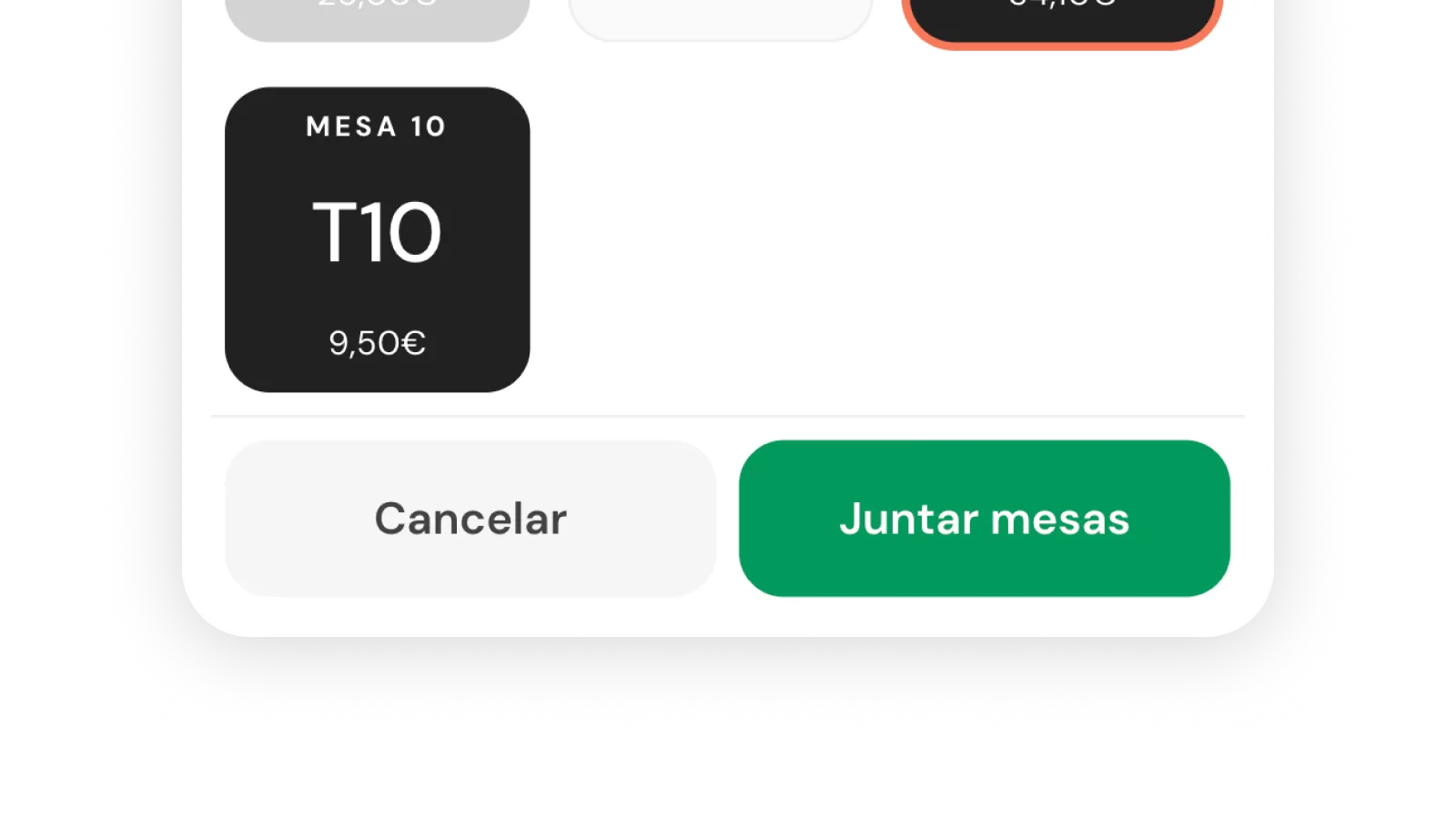
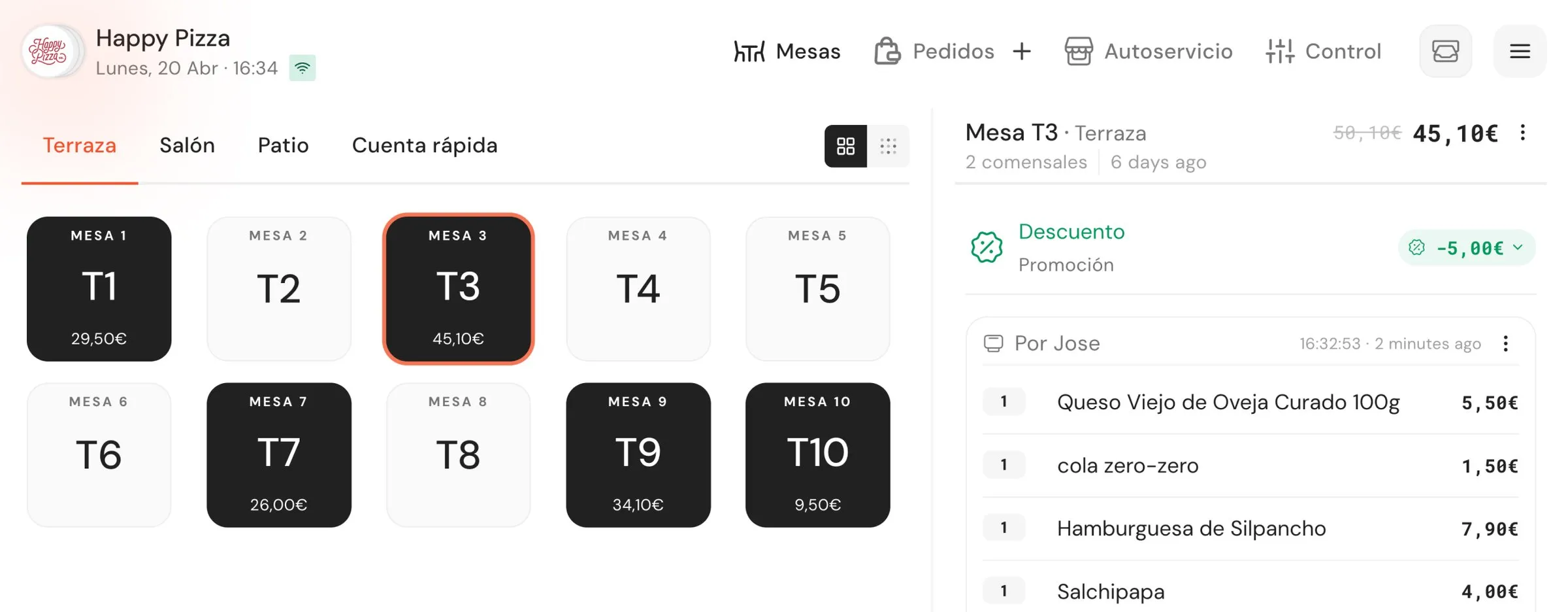
Merge tables from the map
A large group joining two tables? Merge them from the map with a tap and the bill consolidates automatically.
Included from 119€/month. On all plans.
Web app from the first plan. Native iOS/Android app and offline mode on the Advanced tier.
Frequently asked questions
How is it different from the POS?
It's the same system. The POS is the fixed screen for checkout, cash reconciliation and business management; the Waiter App is that same logic on each waiter's phone for taking orders tableside. What you take here shows up on the POS.
Do I need to buy specific handhelds?
No. It works on any phone from the browser. If you prefer dedicated hardware, that works too.
How many devices can I have at the same time?
Unlimited. Add phones without any cost change. No per-waiter or per-device billing.
Does it work without an internet connection?
On the Advanced tier, yes. As a native iOS/Android app with offline mode. On other plans the Waiter App is a web app and needs a connection.
How does each waiter log in?
With their phone number and personal PIN. The manager creates a user for each waiter from the back office.
Can I prioritise an urgent order?
Yes. From the order menu, tap 'Prioritise' and the order jumps to the front on the kitchen KDS.
Can I charge from the app or do I have to go to the POS?
You charge from the app: cash, card or mixed. Split by diner with a tap and generate an invoice if the guest asks for one.
Can I merge two tables?
Yes. From the map, with a tap. The bill consolidates automatically.
Want to see it with your menu?
15 minutes with your actual menu, no strings attached.